A3 vs A4 Paper Size
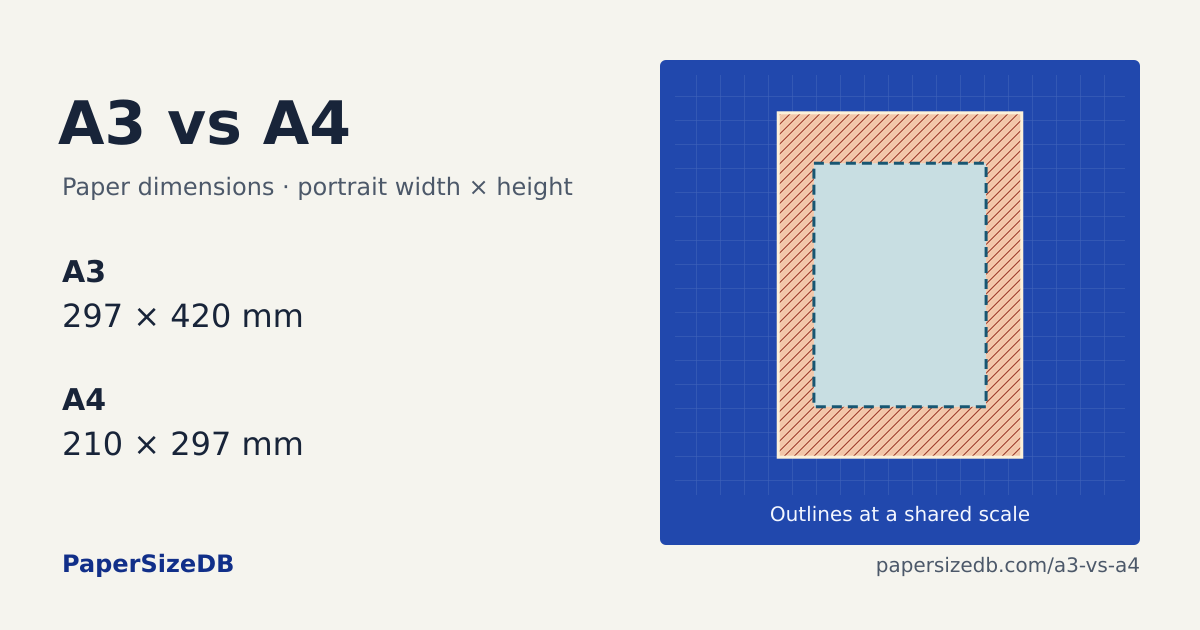
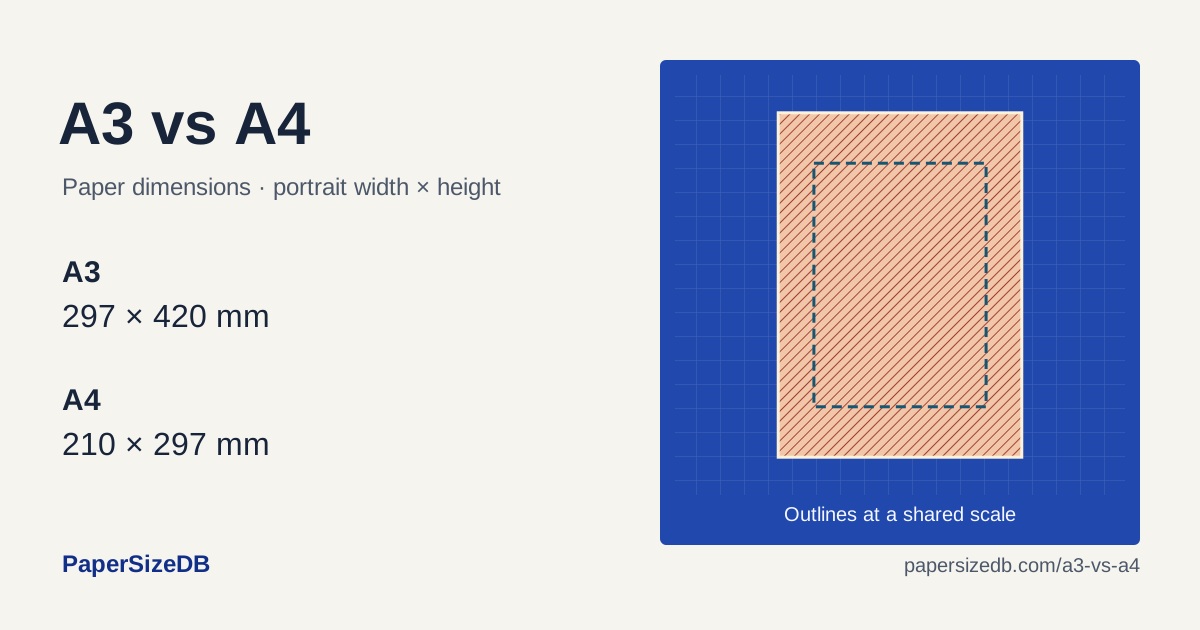
A3 is 87 mm wider and 123 mm taller than A4.
Print A3 on A4
Your page after scaling
No edges cropped- Printed width × height
- 210 × 297 mm
- Crop from each side
- 0 mm
- Crop from top / bottom
- 0 mm each
At 100%, this page would lose 43.5 mm from each side; 61.5 mm from top and bottom.
Compare the outlines
Check the printer’s largest paper size
An A3 file and an A3-capable printer are separate requirements. To print a full-size 297 × 420 mm page, the printer and tray must support A3. An A4 printer can reduce the whole page to A4; printing it at 100% crops the edges shown in the preview.
Reduce a drawing or enlarge a layout
The full-sheet fit is 70.71% from A3 to A4 and 141.41% from A4 to A3, using the published dimensions. A scale drawing printed at 70.71% no longer has its original physical scale. Use Actual size for measured drawings, or set the output scale deliberately before adding a scale label.
Set up the print dialog
- Match the paper. Select the size loaded in the tray and choose portrait orientation.
- Choose the goal. Use Fit for a whole page, or enter the preview’s percentage as Custom Scale. For measured templates, choose Actual size or 100%.
- Check the preview. Center the page and compare the cropped edges. In Acrobat, these controls are under Page Sizing & Handling → Size.
Check your printed size
Print the file matching your paper at Actual size / 100%. Measure the 100 mm rulers and the 1-inch square. Every grid cell is 10 × 10 mm.
Common questions
Is A3 twice the size of A4?
A3 is 297 × 420 mm and A4 is 210 × 297 mm. A3 has exactly twice A4’s area using these nominal dimensions. Its width and height are not twice as large.
Can an A4 printer print an A3 document?
It can reduce the document onto A4 with Fit. For a full-size A3 result, use an A3-capable printer or a separate poster-tiling workflow. Selecting A3 in the file does not make an A4 tray accept A3 paper.